


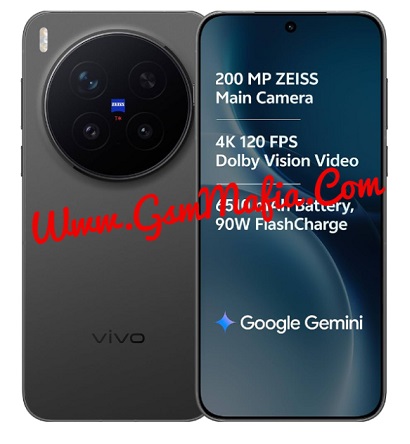
Vivo X300 Pro PD2502F Mediatek Dimensity 9500 (3 nm) Flash File Firmware Official Rom used for fix brick condition, hang on logo, corrupted device and other software problems and flashing of stock rom remove root sign from device. Download Vivo X300 Pro PD2502F Latest Flash File, Flash tool and driver from links given below. Read all flashing instructions before flashing the phone.
Stock rom flashing can repair imei and fix all red, orange and yellow state problems.
Download Vivo X300 Pro PD2502F Flash File Firmware:
- PD2502F_EX_A_16.0.26.0.W20.V000L1_vivo_mtk
- AF Flash Tool
- SP Flash Tool ( Password : gsmmafia)
- Vivo X300 Pro Driver (Password : gsmmafia)
WhatsApp me for flashing (Paid) +917017426154
Vivo X300 Pro is Powered by Mediatek Dimensity 9500 (3 nm) Latest Chipset (CPU). It comes with 12GB and 16GB of RAM. Vivo X300 Pro come with 6510mAh non-removable battery Fast Charging Speed 90W.Vivo X300 Pro runs OriginOS 6 is based on Android 16 and packs 128GB and 256GB of inbuilt storage and phone does not have any dedicated SD Card slot to increase device storage.
Pre-requisites before Vivo X300 Pro
Battery should be charged up to 70%
Make sure you have Vivo USB OG Cable
Download and install SP Flash Tool in PC (Recommended: AFT Vivo Official Flash Tool)
Download And install drivers in your pc
Obviously Knowledge of flashing.
The Advantage Of Stock ROM:
- Flash Stock ROM to unbrick your Vivo X300 Pro
- Flash Stock ROM to fix the boot loop problem
- Upgrade And Downgrade Vivo X300 Pro
- Unroot and fix bugs on your phone
- To fix the lag or Stutter on your Vivo X300 Pro
- By flashing Stock ROM, you can solve software problems
- Revert back to Stock to gain your warranty.
How To Flash Vivo X300 Pro PD2502F Using SP Flash Tool:
- Download and install MediaTek driver in your pc (skip this step if MediaTek drivers are already installed)
- Download Vivo X300 Pro PD2502F flash File and tool and extract both
- Run SP flash tool and select Scatter File from flash file folder
- Click Download Button
- Power Off and connect your phone
- SP Flash tool will start flashing automatically after detect your phone.
- It will lead you to successful flashing.
Whatsapp Me For Flashing +917017426154 (if you facing any problem while flashing)
Note: If your device is not connecting to pc then download the driver from above and install in your pc.
If you getting any error in flashing then Contact Me. I will help you.
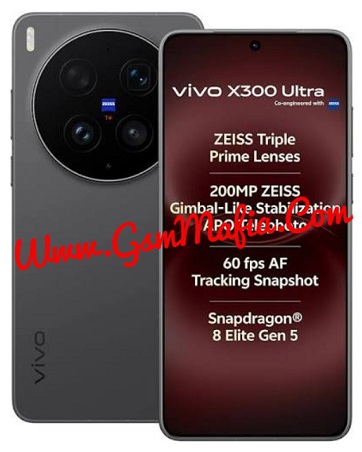

 Flash File Firmware Official Rom used for fix brick condition, hang on logo, corrupted)