

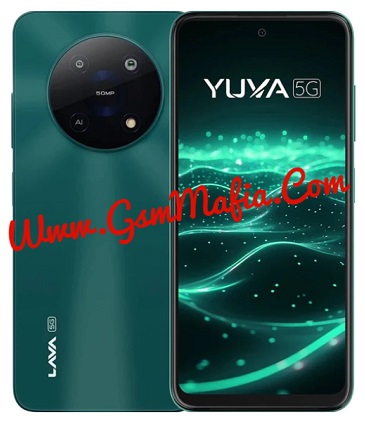
Lava Yuva 5G LXX510 FRP Remove file used for remove factory reset protection from device after resetting. the file is fully tested for unlock google account lock from Lava Yuva 5G LXX510 .
Download Lava Yuva 5G LXX510 Frp Remove File:
- LAVA_LXX510_SW_V21_HW_V1.0_20260623
- UPGRADEDOWNLOAD TOOL (Password : gsmmafia)
- SPD Driver
File is paid
Whatsapp me for file password +917017426154
About Lava Yuva 5G
Lava Yuva 5G is Powered by Unisoc T750 (6 nm) Latest Chipset (CPU). It comes with 6GB and 8GB of RAM. Lava Yuva 5G come with 5000mAh non-removable battery and fast charging 18W.Lava Yuva 5G runs ColorOS 13 is based on Android 13 and packs 128GB of inbuilt storage and The Smartphone have dedicated SD Card slot to Extend device storage.
How to remove FRP from Lava Yuva 5G LXX510 Using Research Download Tool :
- Download and install Spreadtrum Driver in your computer. if in case Spreadtrum drivers are already installed on the computer, skip the step.
- Download and extract Lava Yuva 5G LXX510 FRP Remove File.
- Download, Extract and Open Research Download Tool Folder and run Research Download.exe.
- Once Research Download Tool is Launched, Select Lava Yuva 5G LXX510.PAC from FRP remove file folder.
- Click on Start button And connect your phone (once Research Download Tool detect your phone flashing will start automatically)
- After flash complete disconnect your device and reboot
- All done.
Coution: Removing or bypassing FRP protection using Research Download tool may wipe/delete the device’s data. Therefore, we aren’t not responsible for any data loss on the device.
If you facing any problem in file or flashing your device, Contact us here