

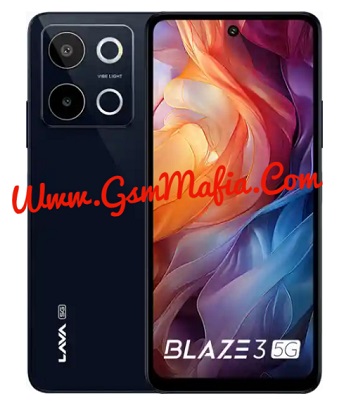
Lava Blaze 3 5G LXX511 Flash File Firmware Official Rom used for fix brick condition, hang on logo and corrupted device and flashing of stock rom remove root sign from device. Download Lava Blaze 3 5G LXX511 Latest Flash File, Flash tool and driver from links given below. Read all flashing instructions before flashing the phone.
Download Lava Blaze 3 5G LXX511 Flash File Firmware:
- LAVA_LXX511_SW_V_V07_HW_V1.0_20260905
- SP_Flash_Tool_v5.2124 (password : gsmmafia)
- MediaTek Driver
WhatsApp me for flashing (Paid) +917017426154
About Lava Blaze 3 5G
Lava Blaze 3 5G is Powered by Mediatek Dimensity 6300 (6 nm) Latest Chipset (CPU). It comes with 8GB of RAM. Lava Blaze 3 5G come with 5000mAh non-removable battery and fast charging 18W. Lava Blaze 3 5G runs Lava OS is based on Android 14 and packs 128GB of inbuilt storage and the phone have dedicated SD Card slot to Extend device storage.
Pre-requisites before flashing Lava Blaze 3 5G
Battery should be charged up to 70%
Make sure you have Lava USB OG Cable
Download and install SP Flash Tool in PC (Recommended: UMT, Unlocktool, EMT Tool, MRT)
Download And install drivers in your pc
Obviously Knowledge of flashing
The Advantage Of Stock ROM:
- Flash Stock ROM to unbrick your Lava Blaze 3 5G LXX511
- Flash Stock ROM to fix the boot loop problem
- Upgrade And Downgrade Lava Blaze 3 5G LXX511
- Unroot and fix bugs on your phone
- To fix the lag or Stutter on your Lava Blaze 3 5G LXX511
- By flashing Stock ROM, you can solve software problems
- Revert back to Stock to gain your warranty.
How To Flash Lava Blaze 3 5G LXX511 Using SP Flash Tool:
- Download and install MediaTek driver in your pc (skip this step if MediaTek drivers are already installed)
- Download Lava Blaze 3 5G LXX511 flash File and tool and extract both
- Run SP flash tool and select Scatter File from flash file folder
- Click Download Button
- Power Off and connect your phone
- All Done.
Whatsapp Me For Flashing +917017426154 (if you facing any problem while flashing)
Note: If your device is not connecting to pc then download the driver from above and install in your pc.
If you getting any error in flashing then Contact Me. I will help you.